
How to Organize Cables and Chargers Neatly: Simple Tips for Tidy Spaces
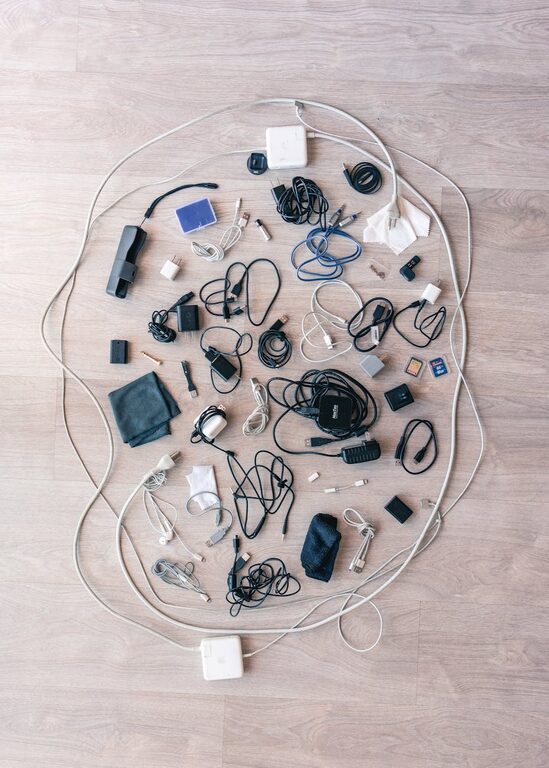
Keeping cables and chargers organized can be a challenge, but a tidy setup not only improves the look of your space but also makes it easier to find what you need quickly. Whether you’re dealing with a messy drawer, a tangled bunch behind your desk, or a charging station that looks chaotic, simple strategies can transform clutter into order.
In this post, we’ll explore practical tips and ideas on how to organize your cables and chargers neatly, making your home or office environment more functional and pleasant.
Why Organize Your Cables and Chargers?
Before diving into solutions, let’s consider why it’s worth the effort:
– Less frustration: No more untangling knots or searching for the right charger.
– Better space management: A tidy desk or drawer creates more usable space.
– Prolong cable life: Proper storage prevents damage and extends usability.
– Improved safety: Reduces tripping hazards and overheating risks.
Assess Your Cables and Chargers
Start by gathering all your cables and chargers from different areas—drawers, bags, entertainment centers. Sort them into categories such as:
– Phone chargers
– Laptop and tablet cables
– Audio cords (headphones, speakers)
– Power cords for appliances
– USB cables and adapters
As you sort, consider whether you really need to keep every cable. Get rid of duplicates, broken cables, or outdated chargers.
Tools and Supplies You May Need
Before organizing, gather some helpful supplies:
– Cable ties or Velcro straps
– Cable clips or holders
– Ziplock bags or small pouches
– Drawer organizers or trays
– Label makers or masking tape and markers
– Cord organizers or cable boxes
– Charging stations or multi-port hubs
Step-by-Step Guide to Organizing Cables and Chargers
1. Detangle and Coil Each Cable
Untangle cables carefully, then coil them neatly in loops about the size of your palm. Avoid tight knots or twisting. Secure each coil with a Velcro strap or cable tie to keep it from unraveling.
2. Use Labels to Identify
Label each cable with its purpose or the device it belongs to. This is especially useful if multiple cables look similar. Use a label maker, write on masking tape, or use color-coded stickers.
3. Group Similar Items Together
Place similar cables and chargers in separate containers or sections. For example, keep all phone chargers in one pouch, all USB cables in a drawer organizer, and all laptop accessories in their own box.
4. Store Vertically or Horizontally – Whatever Suits Your Space
– Drawers: Use dividers or small bins to keep cables separated and prevent tangling.
– Desks: Attach cable clips to the edge of your desk to hold charging cables you use frequently.
– Walls: Consider pegboards or wall-mounted hooks for easy access and display.
5. Create a Central Charging Station
If you regularly charge multiple devices, set up a charging station with a multi-port USB hub or a power strip with individual slots. Use cable holders or sleeves to guide and separate the cables to prevent tangling.
6. Use Cable Boxes and Sleeves
Cable management boxes hide power strips and excess cords, giving your area a clean look. Cable sleeves bundle multiple wires into a single tube for less visual clutter and easier cleaning.
Additional Tips for Managing Cables
– Keep frequently used cables handy: Store daily-use chargers where you can reach them easily.
– Avoid overloading power outlets: Use surge protectors with enough spacing to plug in multiple chargers.
– Store spare cables smartly: Use labeled pouches or a dedicated box.
– Regularly revisit your setup: Every few months, tidy up and reassess what cables you have to keep your organization in check.
DIY Cable Organizing Ideas
– Binder clips: Clip cables to the side of your desk to keep them from falling.
– Toilet paper rolls: Wrap cables and insert them into rolls to prevent tangling.
– Chopsticks or straws: Cut straws to use as cable separators or organizers inside drawers.
– Egg cartons or muffin tins: Use for sorting small charging accessories or USB drives.
Maintaining Your Organized Space
The key to a lasting organized cable setup is consistency. Take a few minutes weekly to:
– Return cables to their designated places.
– Check for wear or damage.
– Declutter unused cables.
By keeping up with small habits, your space stays neat and functional.
Conclusion
Organizing cables and chargers doesn’t have to be overwhelming or expensive. With simple tools, a bit of time, and a plan, you can transform cable chaos into an orderly and efficient system. This not only improves the appearance of your space but also saves you time and frustration when you need to plug in your devices.
Start small, gather your essentials, and enjoy a clutter-free space today!